PRACTICAL GUIDE
30 Nano Banana Prompts for Realistic AI Photos (2026)
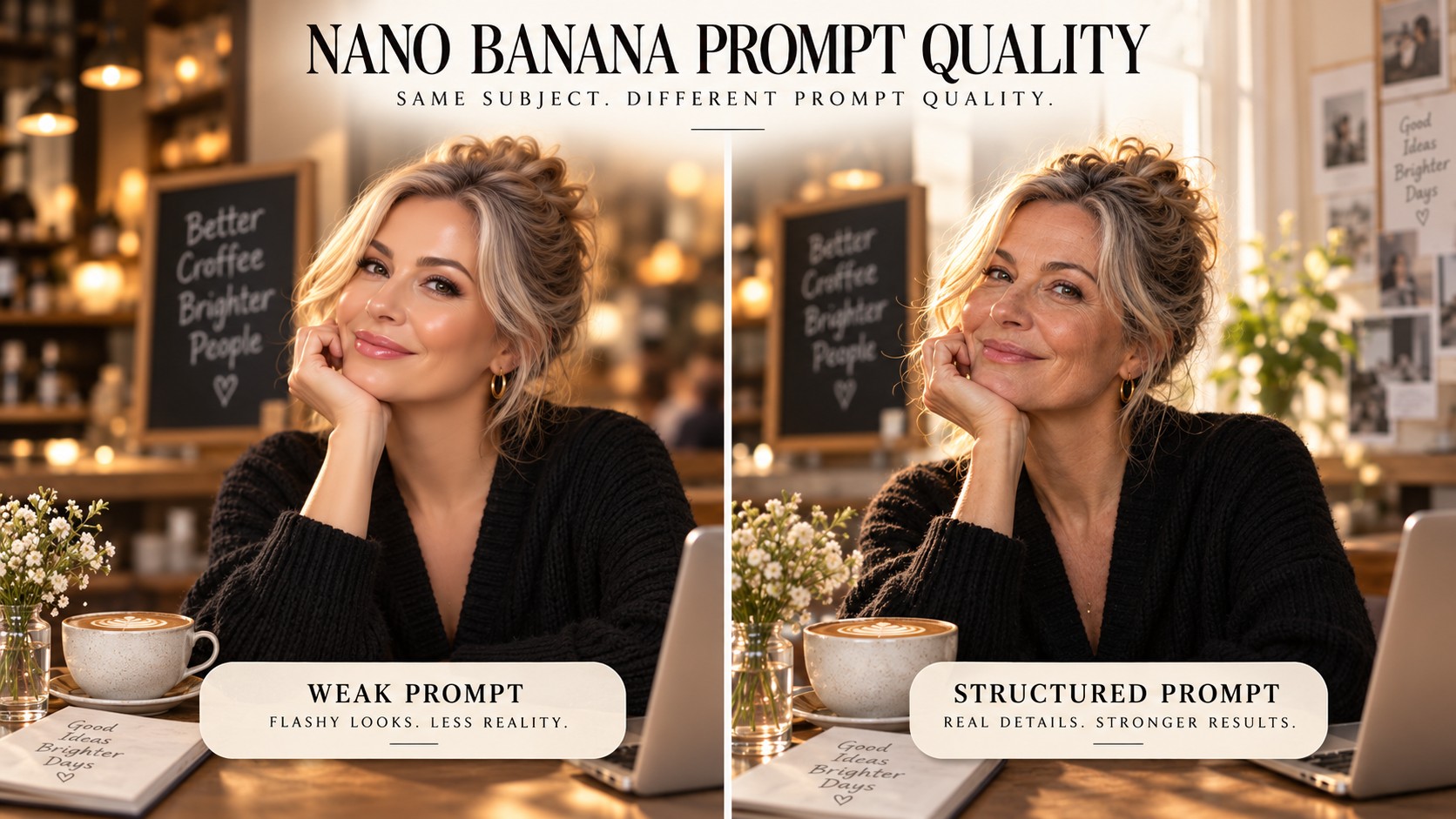
AI image generators are easy to use and surprisingly hard to control. A short prompt can produce a beautiful picture, but it can also give you plastic skin, drifting faces, warped products, unreadable text, or a scene that looks expensive and completely fake.
The fix is not writing a 500-word prompt. The fix is giving the model the right information in the right order. This guide gives you a practical prompt structure plus 30 copy-ready examples for portraits, phone photos, products, commercial work, editing, consistent characters, and text-heavy graphics.
Which Nano Banana model should you use?
Google currently offers Nano Banana 2 for fast, high-quality image generation and editing, with Nano Banana Pro available for higher-detail regeneration on supported paid plans. Google’s own guidance emphasizes specificity: define the subject, composition, action, location, style, and direct editing instructions when modifying an existing image.
If you prefer one creative workspace instead of jumping between tools, Higgsfield currently offers Nano Banana models alongside its own image/video workflow, and InVideo also exposes Nano Banana Pro inside its generative model library.
Try Nano Banana inside a larger creative workflow
Generate, edit, keep characters consistent, and move from still image to video in one place with Higgsfield. Open Higgsfield
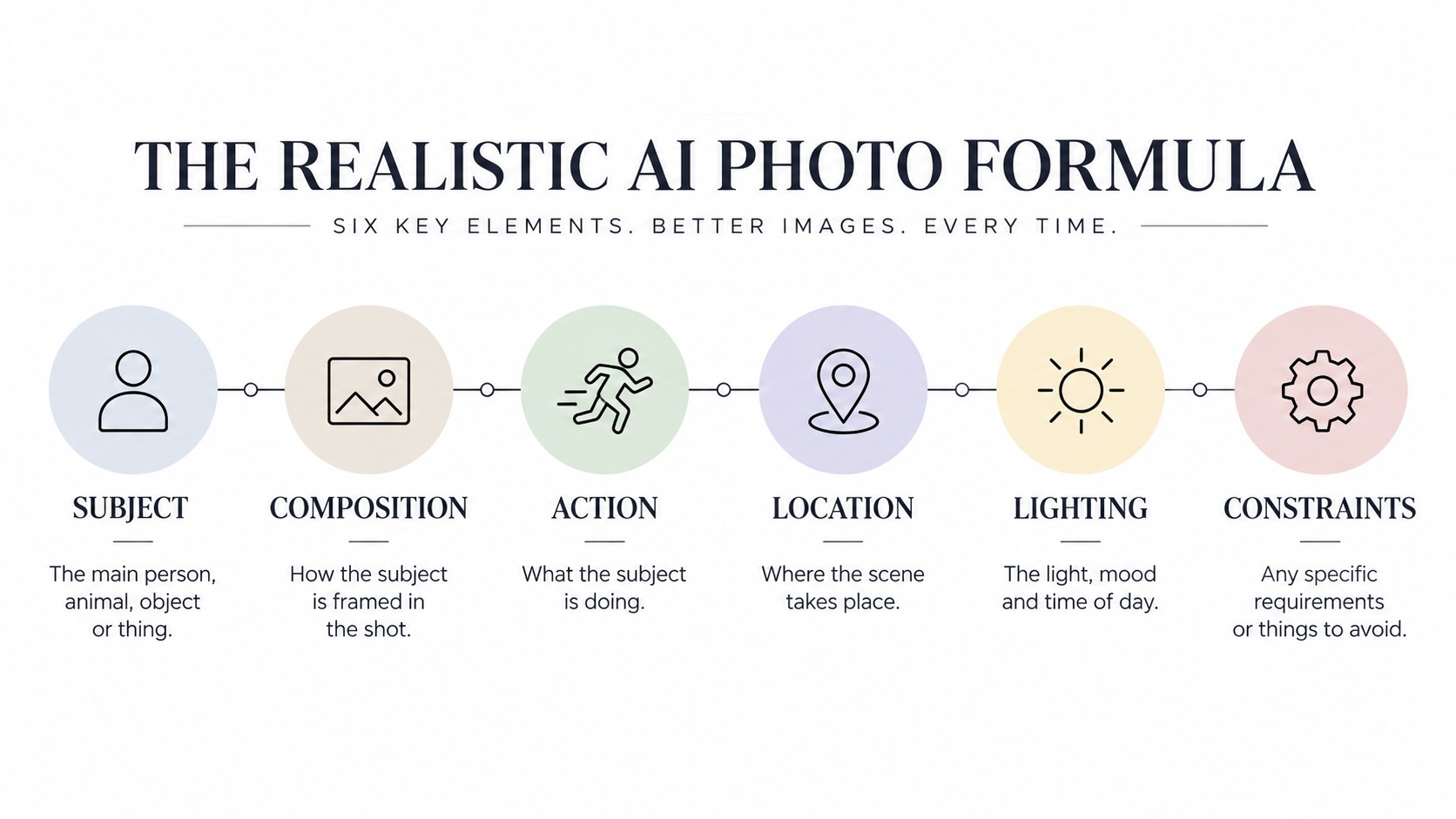
The prompt formula that gets better results
Use this structure as a starting point:
- SUBJECT - who or what is in the image, including age, clothing, material, product details, or defining features.
- COMPOSITION - close-up, full body, overhead, low angle, centered product shot, wide architectural view, etc.
- ACTION - what is happening in the frame.
- LOCATION - the environment and context.
- LIGHTING - window light, direct flash, overcast daylight, controlled studio light, golden hour, etc.
- CAMERA / VISUAL LANGUAGE - 35mm documentary, 85mm portrait look, smartphone snapshot, macro product photography.
- CONSTRAINTS - what must not change: identity, product geometry, exact text, crop, pose, number of objects, background, and so on.
For edits, the constraints are often more important than the style. Tell the model what to change and explicitly tell it what to preserve.
1. Realistic portrait prompts
Use these when you want believable skin, controlled light, natural expressions, and less “AI glamour.”
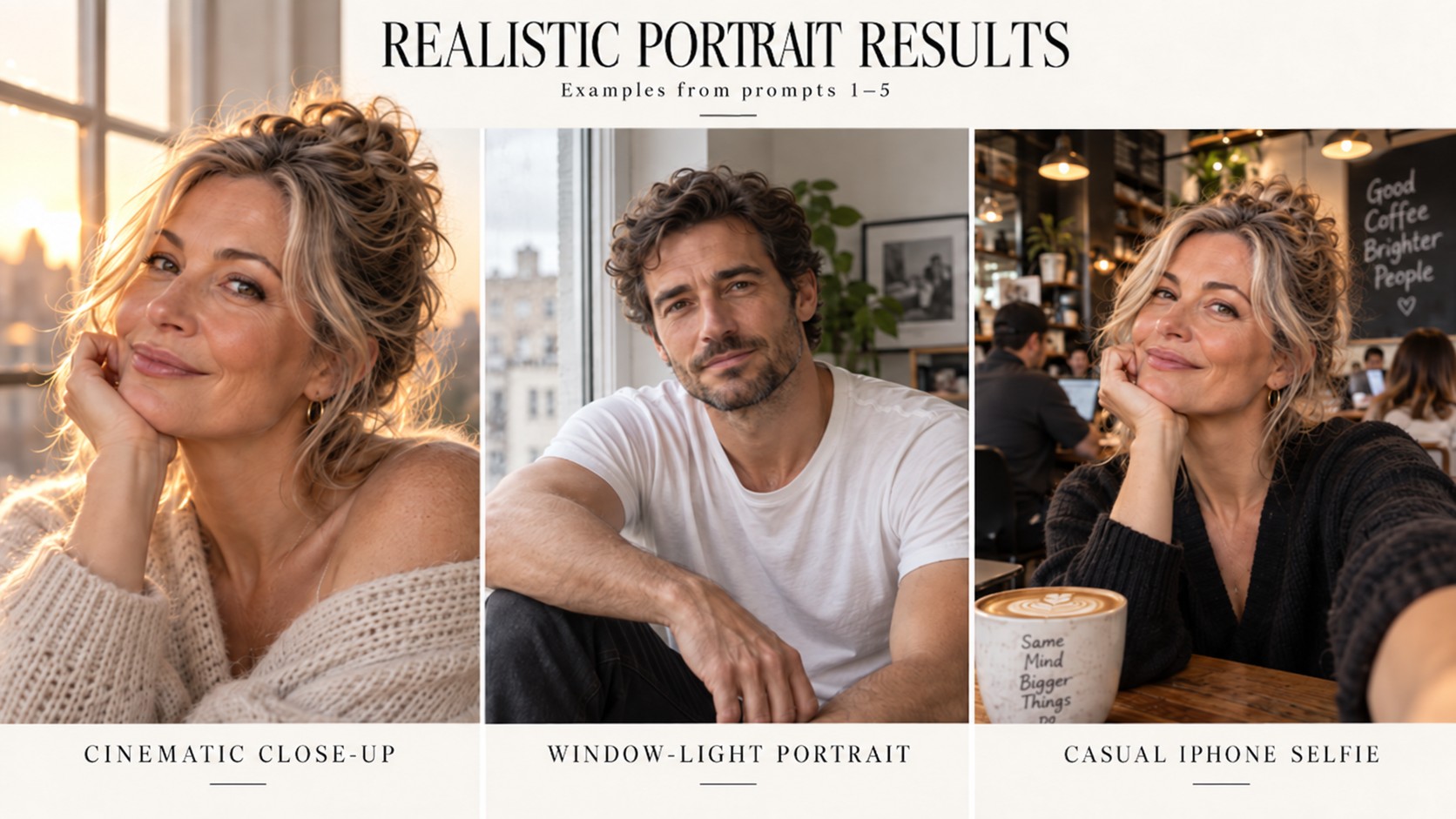
1. Cinematic close-up portrait
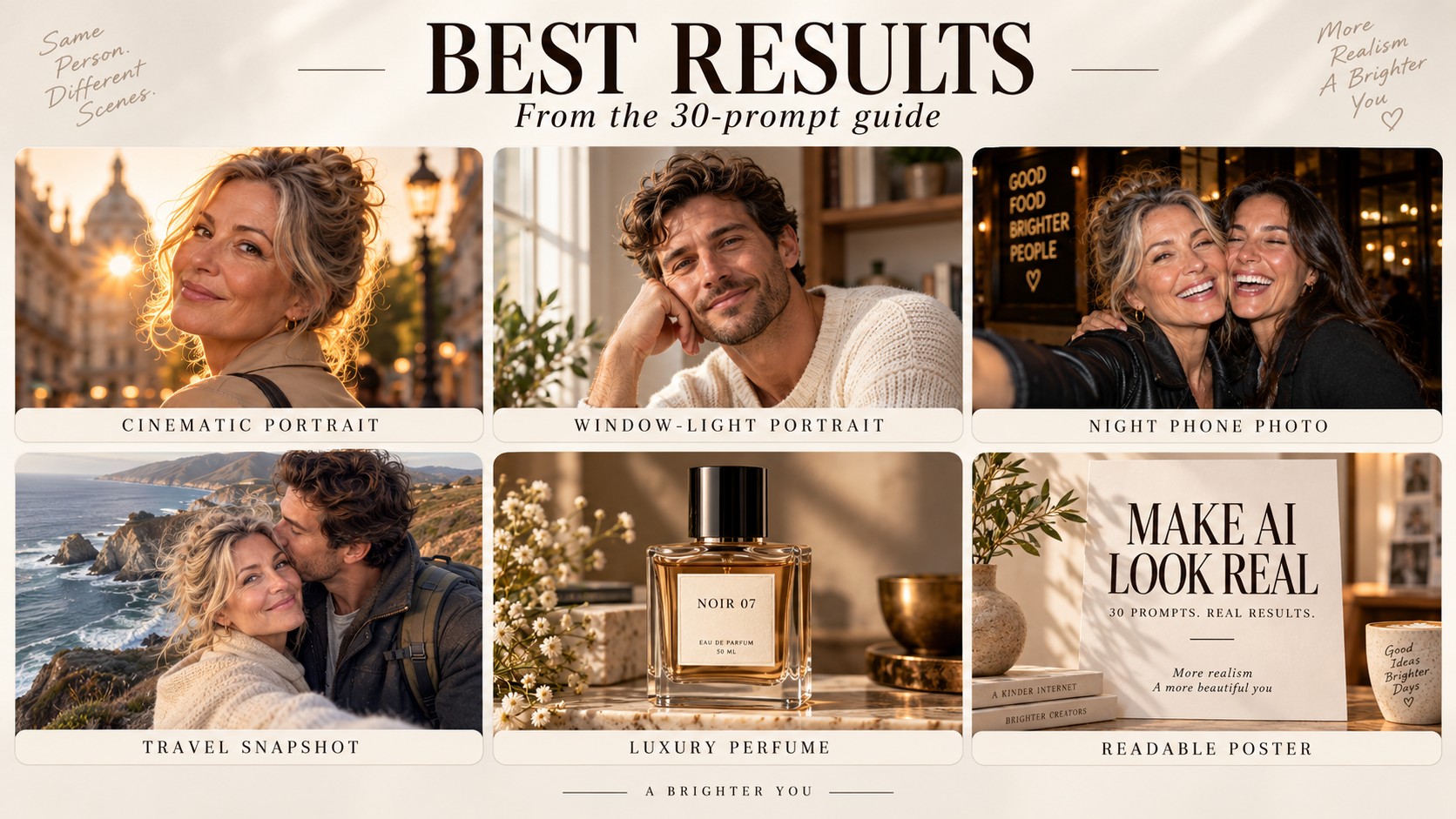
Photorealistic close-up portrait of a 32-year-old woman with natural skin texture and subtle freckles, standing beside a large window at golden hour. Soft side light, shallow depth of field, 85mm lens look, realistic pores, individual hair strands, neutral color grading, candid expression. No plastic skin, no beauty-filter look, no distorted hands.
Tip: realistic skin improves when you ask for natural texture instead of vague words like “ultra beautiful.”
2. Natural window-light portrait
Editorial portrait of a man in a simple white T-shirt sitting near a north-facing apartment window on an overcast morning. Soft diffused light, authentic skin texture, gentle shadows, 50mm lens, eye-level composition, slightly imperfect hair, documentary photography aesthetic.
3. Street-fashion portrait
Full-body street-style portrait of a young woman walking through SoHo, New York, late afternoon. Black oversized blazer, straight-leg jeans, white sneakers, realistic urban pedestrians softly blurred in background, 35mm lens, natural stride, candid fashion-week photography, accurate anatomy.
4. Luxury studio portrait
High-end studio portrait of a male founder in a charcoal suit against a warm gray seamless background. Large softbox from camera-left, subtle rim light, medium close-up, 70mm lens look, crisp eyes, natural skin detail, premium magazine editorial, understated confidence.
5. Casual iPhone selfie
Casual iPhone-style selfie of a woman at a coffee shop, slightly imperfect framing, natural mixed indoor light, subtle wide-angle phone perspective, realistic skin and hair, background patrons softly out of focus, no studio lighting, no obvious AI polish.
2. iPhone, travel and candid-photo prompts
These prompts intentionally ask for imperfections: flash, motion blur, mixed light, imperfect framing, and casual composition.
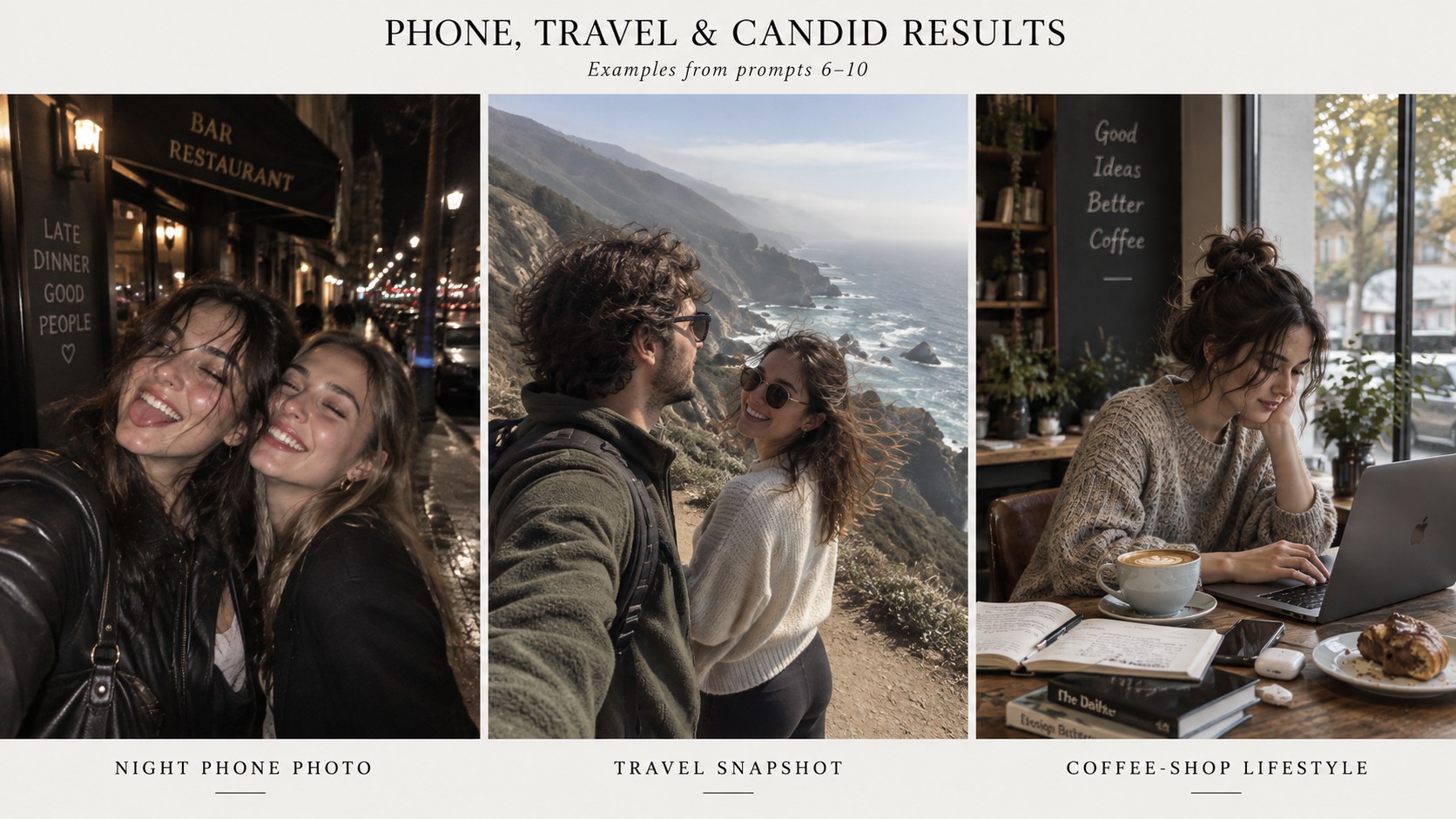
6. Night phone photo
Realistic smartphone photo of two friends outside a late-night restaurant, direct phone flash, dark city background, slight motion blur, imperfect exposure, candid laughter, accurate hands and teeth, authentic nightlife snapshot, not cinematic.
Tip: “phone photo” alone often still looks polished. Ask for imperfect framing, direct flash, mixed light, or slight motion blur.
7. Travel snapshot
Unposed travel photo of a couple standing near a windy cliff overlooking the ocean in Big Sur. Midday haze, casual clothes moving in the wind, slightly tilted composition, 28mm travel-photo look, realistic skin, natural body proportions, imperfect documentary framing.
8. 90s direct-flash party photo
1990s compact-camera party photograph, direct flash, warm indoor tungsten background, slight red-eye, visible film grain, imperfect crop, candid group of friends around a kitchen table, authentic disposable-camera feeling, no modern cinematic color grading.
9. Rainy city portrait
10. Coffee-shop lifestyle shot
3. Product photography prompts
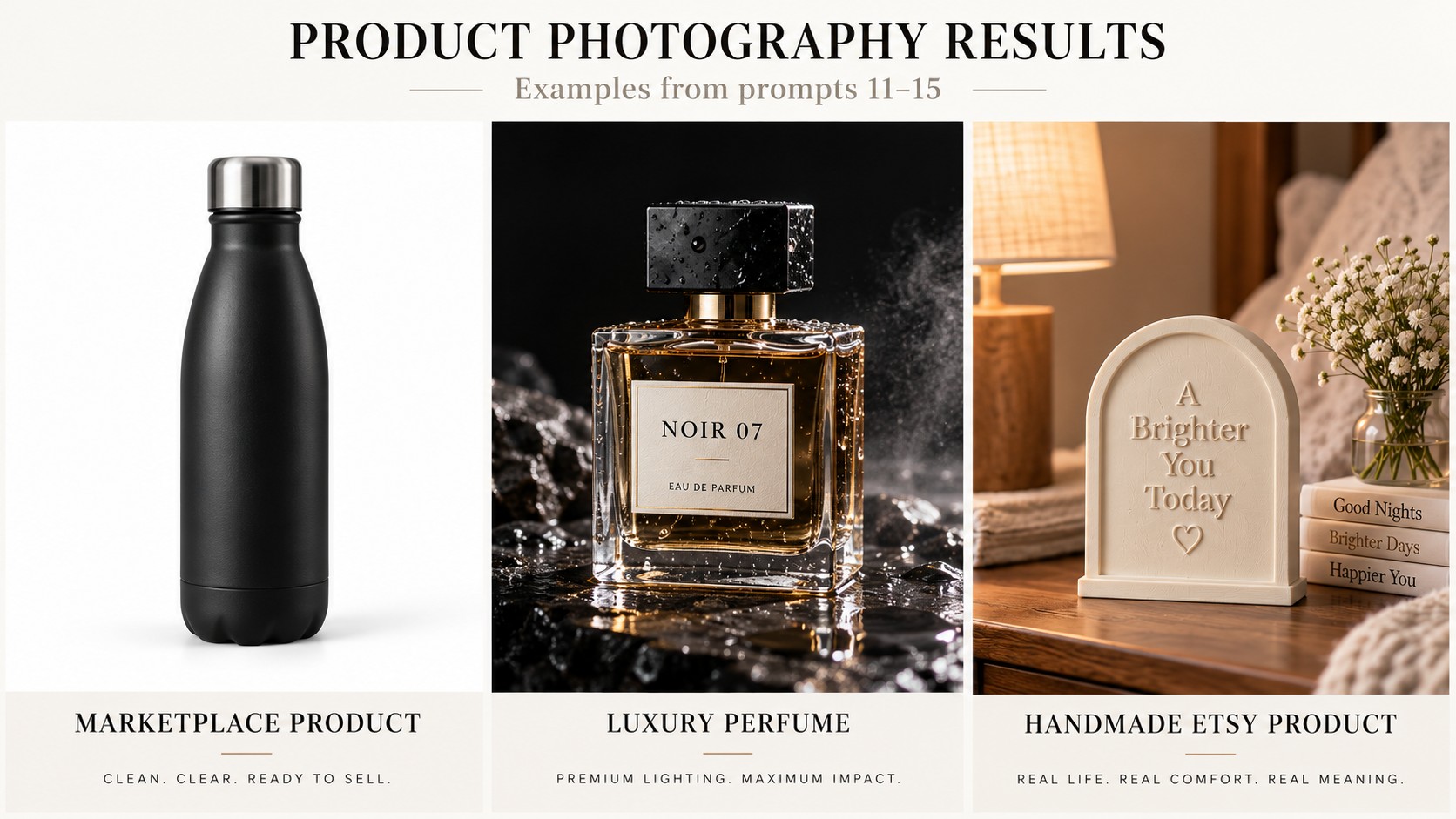
Product prompts work best when geometry, labels, materials, and what must stay unchanged are stated explicitly.
11. Clean marketplace product shot
Tip: lock label text and product geometry if you are working from a reference image.
12. Luxury product campaign
13. Skincare bathroom scene
14. Restaurant food photo
15. Handmade Etsy product
Alternative all-in-one workflow
If you want Nano Banana Pro plus image, video, audio, and editing models in one workspace, InVideo is another practical option. Try InVideo
4. Commercial and environment prompts
Use these for campaigns, interiors, architecture, and brand visuals where perspective and physical realism matter.
16. Fashion campaign
17. Car advertisement
18. Perfume macro detail
19. Modern café interior
20. Real-estate interior
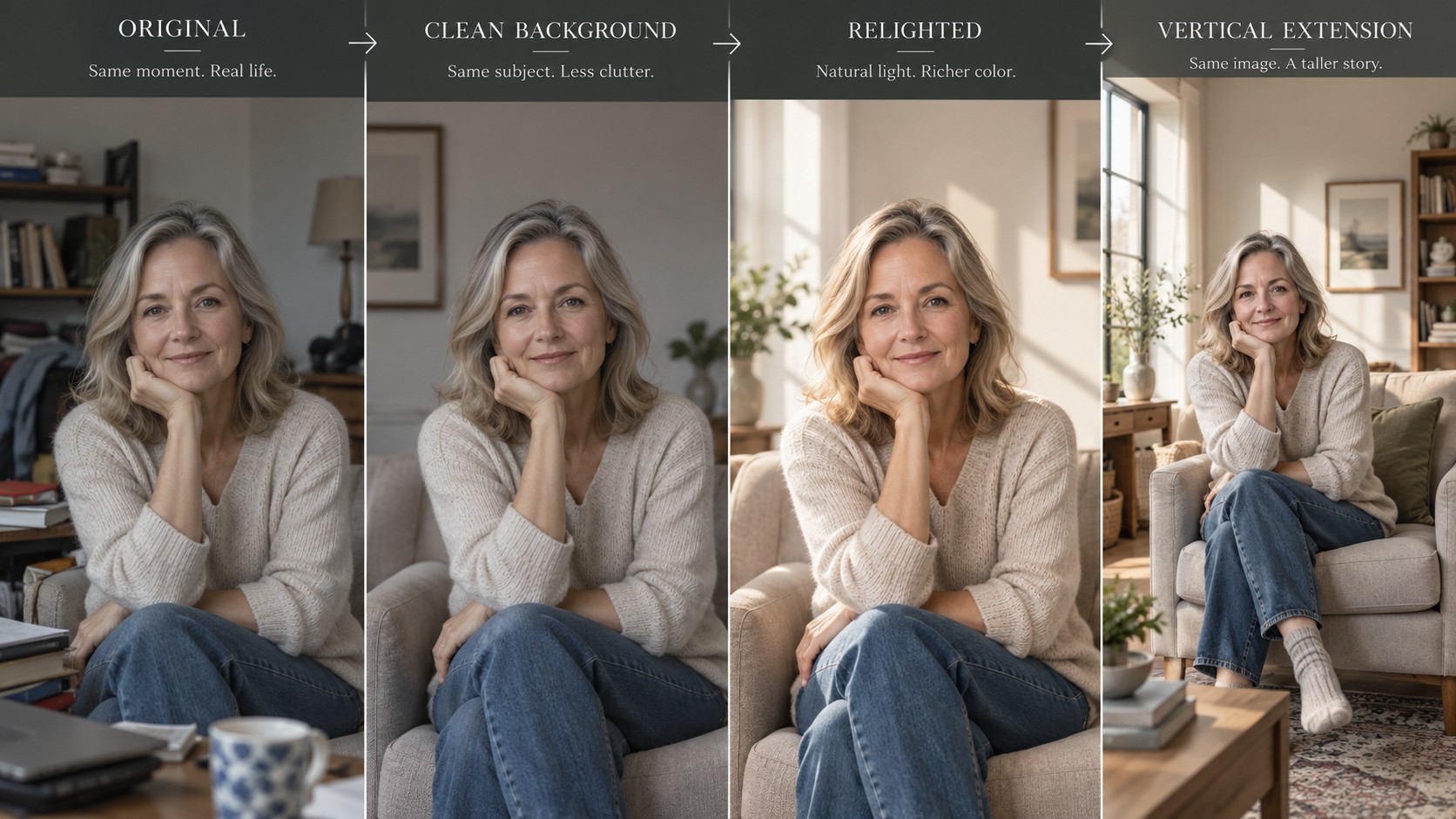
5. Nano Banana editing prompts
For editing, describe only the intended change first, then lock everything else that should remain untouched.
21. Replace the background only
Tip: in editing prompts, explicitly say “change only…” and then list what must stay unchanged.
22. Remove one object cleanly
23. Change clothing without changing identity
24. Relight a photo
25. Expand for vertical social media
6. Consistency, text and localization prompts
These examples focus on reference identity, multiple people, readable typography, infographics, and non-English text.
26. Consistent character - second scene
Tip: identity consistency improves when you reuse references and describe the features that must not drift.
27. Two-person consistency
28. Poster with readable text
29. Simple infographic
30. Localized ad creative
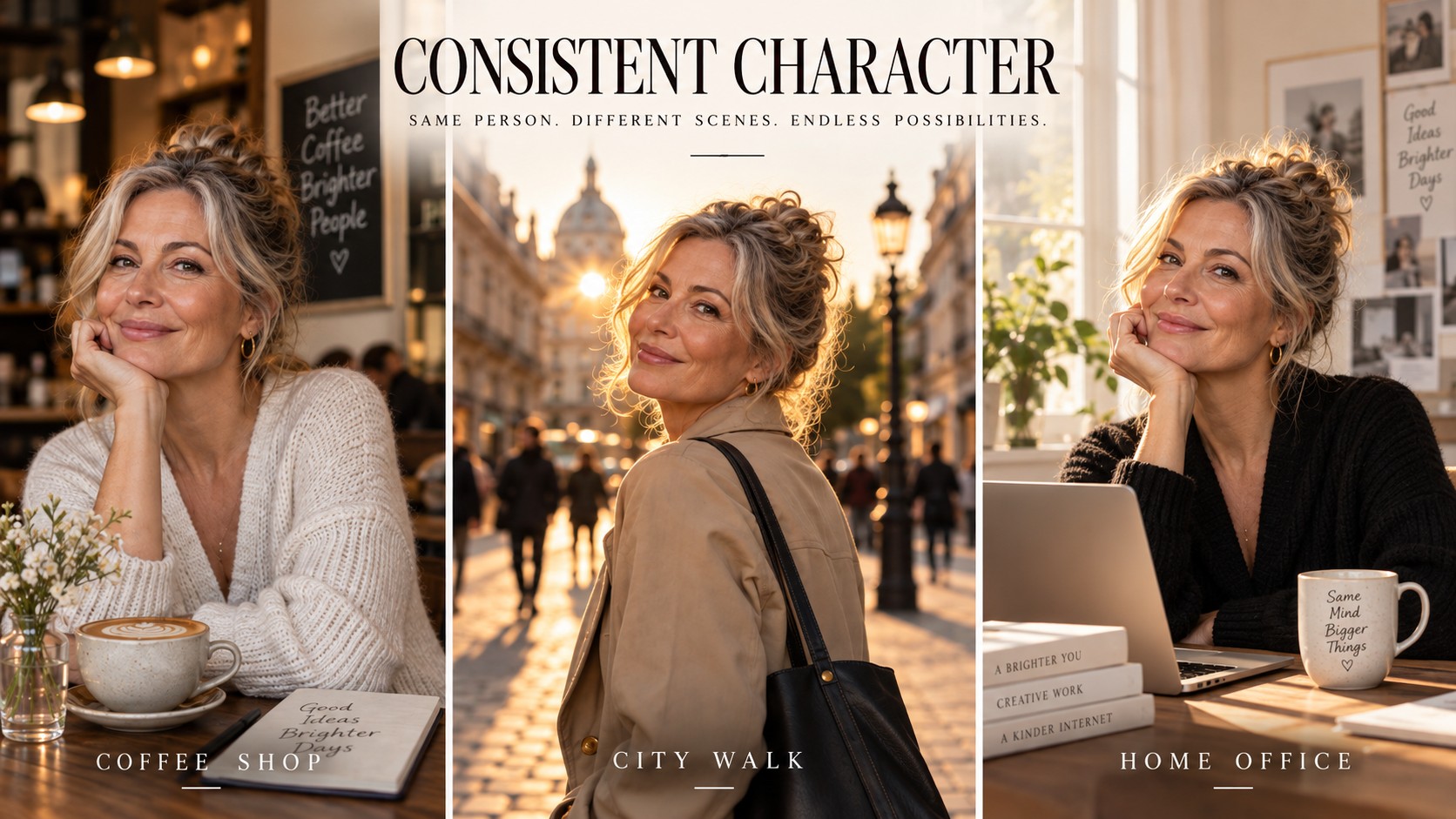
Consistency example

Readable text example
How to improve a bad result without rewriting everything
- If the face drifts: keep the same reference, lock identity features, and change only one variable at a time.
- If the image looks too “AI”: remove vague hype words and add a real photographic language - direct flash, overcast window light, 35mm documentary, phone snapshot, imperfect crop.
- If hands or anatomy fail: simplify the pose, reduce the number of people, or move hands partially outside the frame.
- If product geometry changes: say exactly which object must remain unchanged, then describe only the new scene around it.
- If text is wrong: put the exact wording in quotation marks and specify hierarchy, placement, and language.
- If an edit changes too much: write “change only X” and list the items that must stay identical.
A fast workflow for creators
For most content, do not chase the perfect image on generation one. Generate a clean draft, identify the single biggest problem, fix that problem, and only then push resolution or styling. Changing the reference, lighting, outfit, camera angle, and background at the same time makes it harder to know what actually improved the result.
Recommended workflow
For AI-photo-heavy projects, use Higgsfield as the primary workspace when you need Nano Banana plus character consistency and a direct path into video. Use InVideo when you want a broader all-in-one creator stack with image, video, audio, and editing models. Try Higgsfield
FAQ
Does Nano Banana understand Russian prompts?
Yes. Current Gemini image tools support multilingual prompting and text generation. For complex commercial prompts, you can still use English if it gives you more predictable phrasing, while keeping exact Russian text in quotation marks when the image itself needs Cyrillic.
Do longer prompts always work better?
No. More detail helps only when the detail controls something visible. A precise 60-word prompt can outperform a vague 250-word prompt.
How do I keep the same face?
Reuse strong references and explicitly lock facial structure, age, hairstyle, skin tone, and other identity features. In Higgsfield, reusable character workflows such as Soul ID / Elements are designed specifically for consistency across generations.
Can Nano Banana edit an existing photo?
Yes. Current Gemini image workflows support uploading an image and requesting targeted edits. For the cleanest edit, say what to change and what must stay untouched.
Can I use these prompts for product photography?
Yes. Prompts 11-20 are designed around products and commercial visuals. When using a real product reference, preserve the product shape, label, logo, materials, and proportions explicitly.
Final takeaway
The biggest jump in AI image quality usually does not come from adding more adjectives. It comes from controlling the scene: who is there, how the shot is framed, what the light is doing, what the camera language should feel like, and what the model is forbidden to change. Start with one of the prompts above, change only the details that matter to your scene, and iterate one variable at a time.
Affiliate disclosure
Some links in this article are affiliate links. If you sign up through them, we may earn a commission at no extra cost to you.