PRACTICAL GUIDE
How to build an animated AI website with GPT Astra
Product storytelling, scroll-driven animation, assets generated with Higgsfield, and a dedicated mobile version.
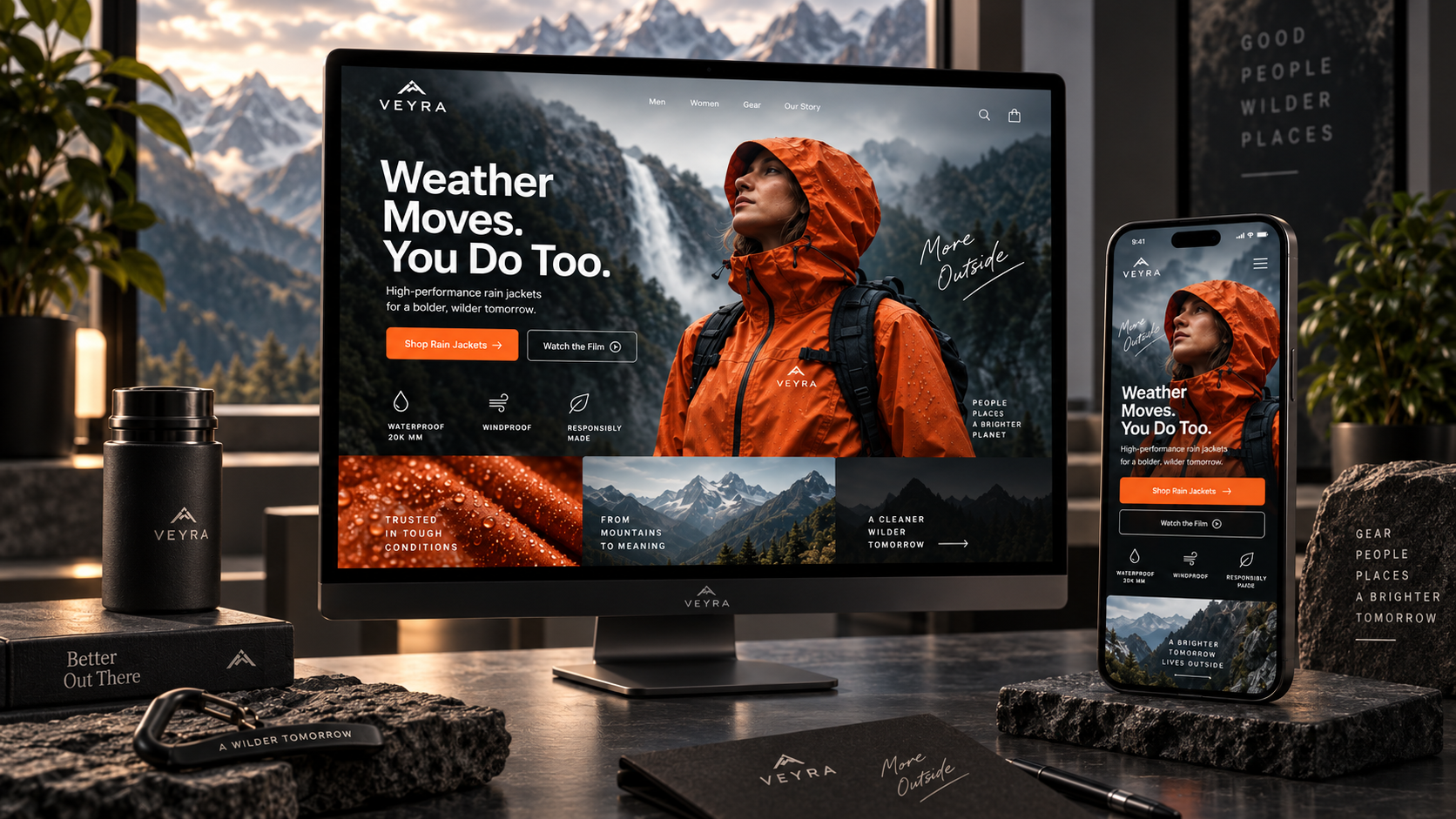
From an idea and a prompt to a website that tells a product story as you scroll.
A WEBSITE CAN BE MORE THAN A STACK OF SECTIONS
Over the past few days, I have been building and refining a prompt that helps GPT Astra create websites as visual product stories, rather than conventional landing pages. The idea is simple: visitors do more than scroll through specifications. They move through a short story while the product transforms with their scrolling.
On desktop, that story can be wide, cinematic, and highly detailed. On a phone, the meaning stays the same, but composition, object sizes, buttons, and movement need to work in a vertical frame. This calls for a dedicated mobile adaptation, rather than a mechanically shrunken desktop website.
What is a visual story? Three simple examples
Before building a website, define the product's visual story before choosing the design, typeface, or button color. It is a sequence of shots or states that takes visitors from a first impression to the final outcome they want.
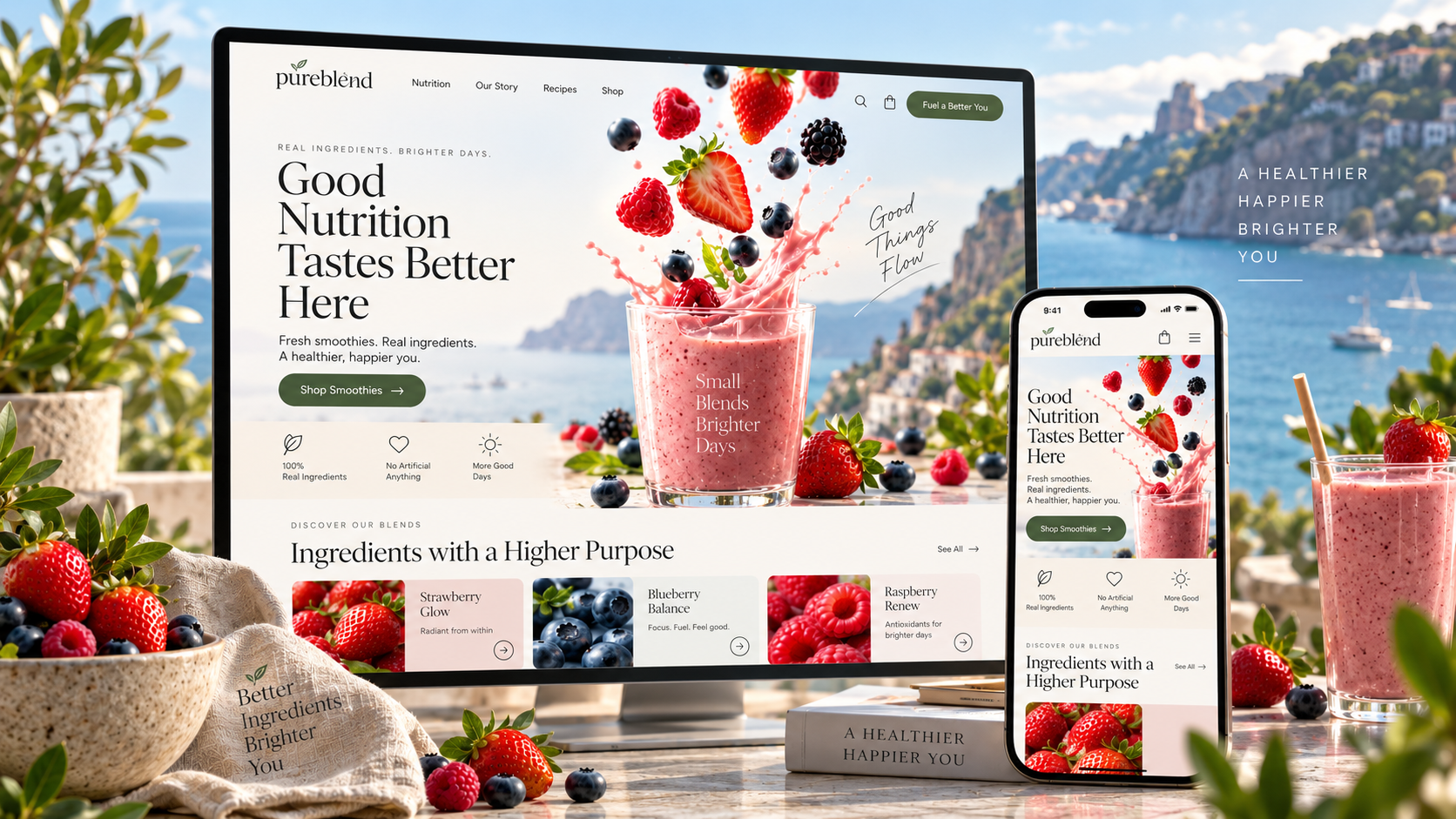
Smoothies
On the first screen, strawberries, raspberries, and blueberries fall from above. As visitors scroll, the berries mix and turn into a fresh drink. Desktop movement feels broad and airy; on mobile, it becomes more vertical, while keeping the same story.
Luxury watches
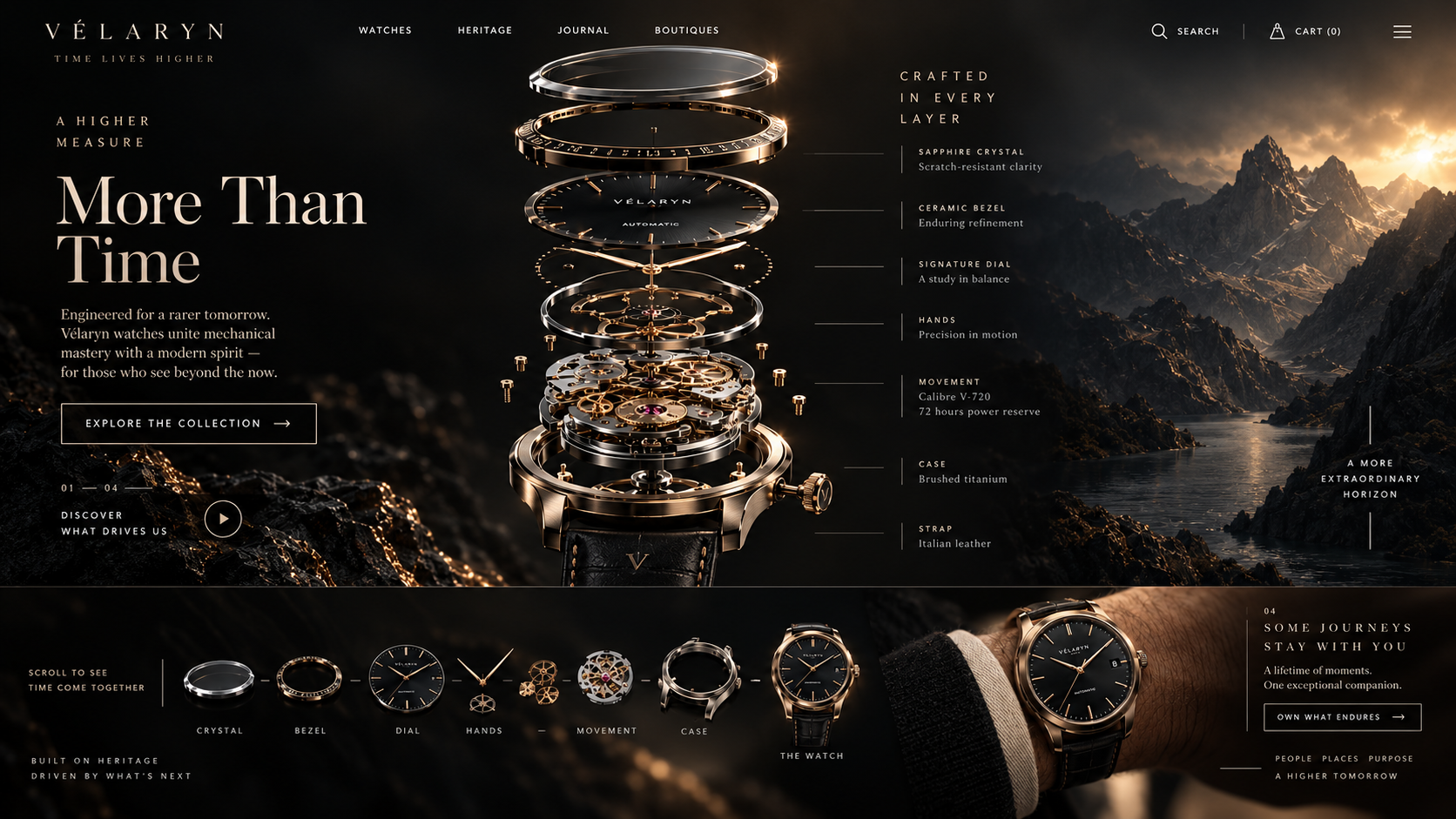
The watch separates into its components: crystal, bezel, dial, hands, movement, and case. The camera moves very close, then pulls back to reveal the assembled watch on a wrist. This story shows both the engineering and the feeling of owning the finished product.
Pizza
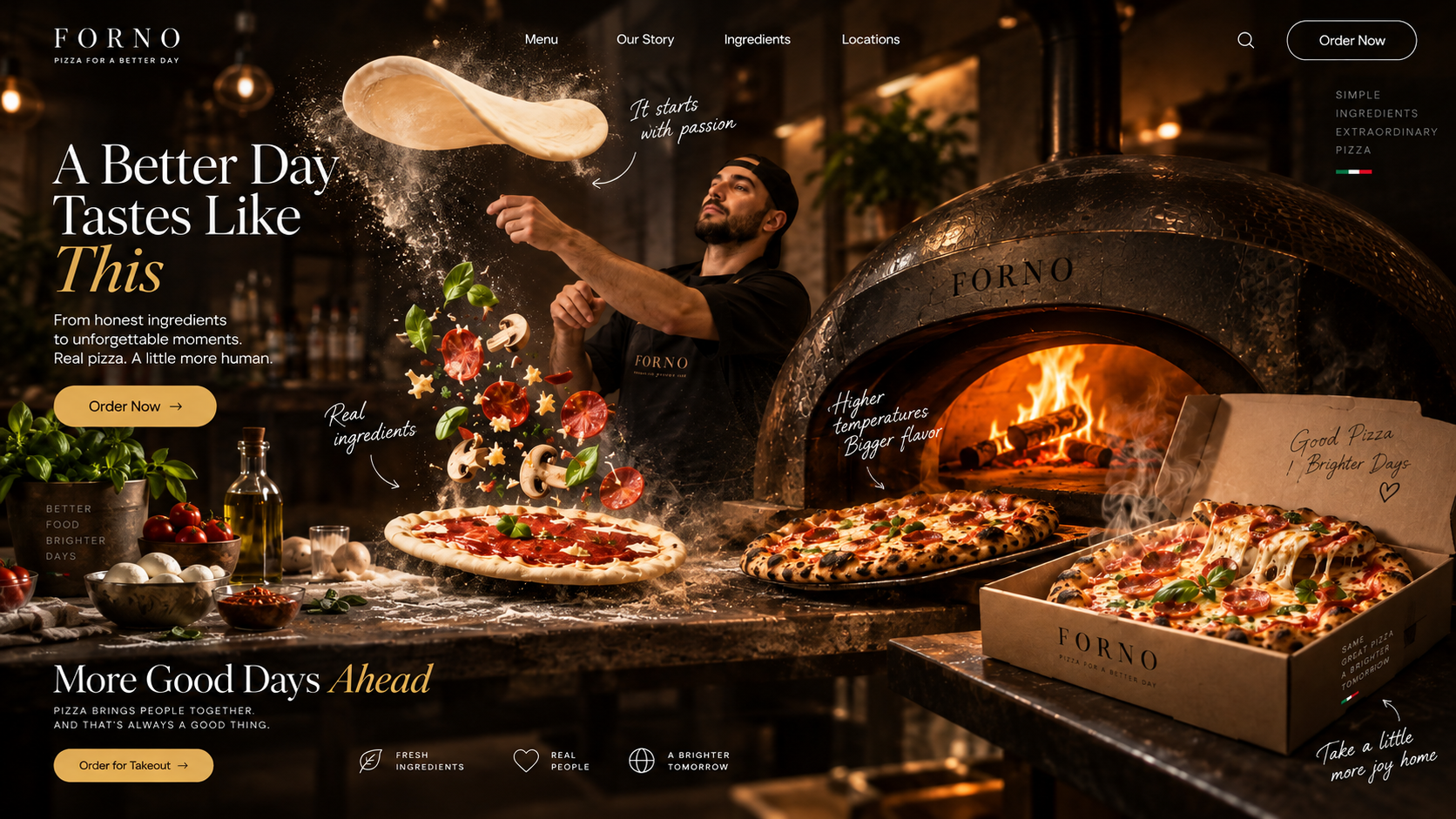
Dough rises into the air, sauce and toppings appear, and the pizza goes into the oven before landing in a box. Visitors came for pizza; by the end, they can see it ready to take home.
Before asking AI to build a beautiful website, ask yourself: what final frame would the customer want to see?
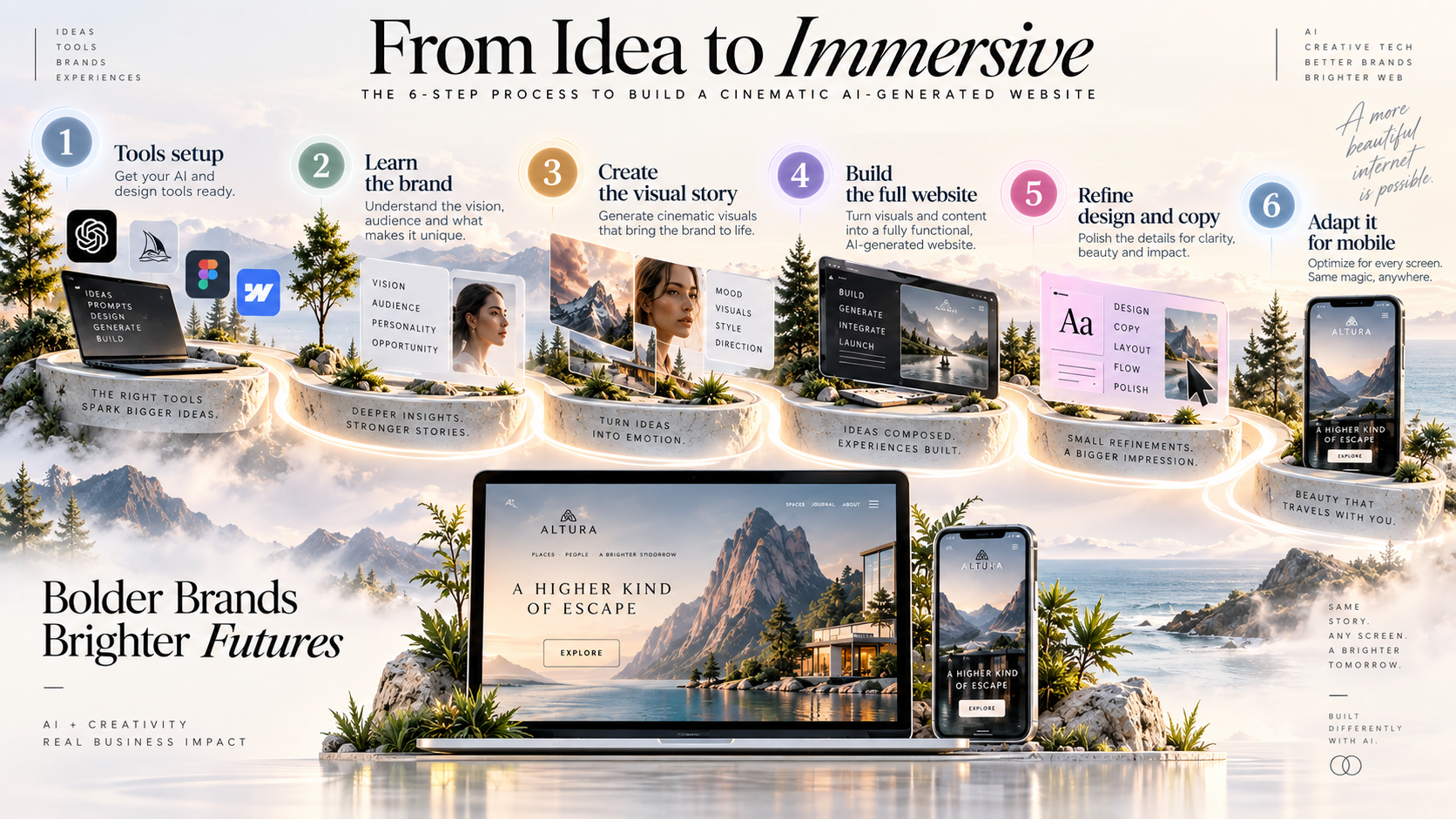
Six stages of building a website with GPT Astra
- Prepare the tools. Set up the workspace, project, model, prompts, and asset generators.
- Understand the brand. Define the product, personality, audience, visual language, colors, and references.
- Develop the visual story. Describe the sequence of actions, transformations, and the final frame.
- Build the full website. Astra brings structure, visuals, content, and interaction together.
- Refine the design and copy. Improve movement, composition, products, writing, and details.
- Create a dedicated mobile adaptation. Check the vertical composition, navigation, and button sizes; generate a separate mobile clip if needed.
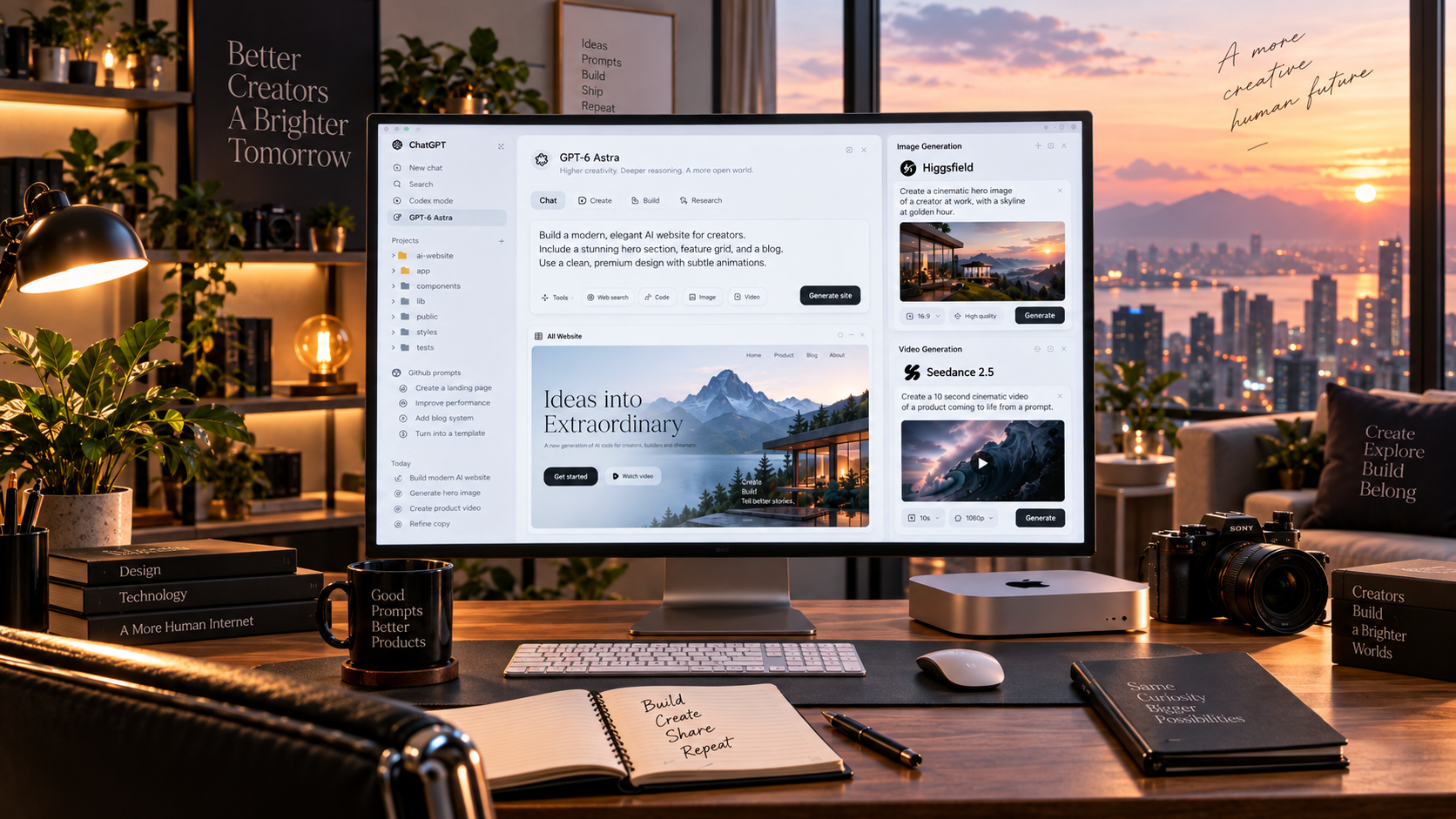
The tools: Codex, Higgsfield, and Seedance 2.5
In my workflow, I use the ChatGPT desktop app in Codex mode, starting inside an empty project folder. I use GPT Astra to generate the website. Initially, I chose a higher reasoning level, but after several prompt iterations, the instructions became precise enough to get good results on a lighter setting for many tasks.
The second part of the setup consists of two prepared prompts from GitHub. The first handles the main work: understanding the brand, gathering references, shaping the visual story, creating assets, and building the website. The second comes later and handles mobile refinement, adapting the desktop version to a smaller screen.
For the visual story itself, I connect Higgsfield. A still image becomes the opening frame, which is then used to generate a video with Seedance 2.5. The resulting clip serves as the technical foundation for the scroll-scrub effect, rather than a standalone video.
The first prompt works almost like an autonomous skill
The first prompt ended up fairly long because it makes the model work through the entire process independently. You can shorten and optimize it later, but early on, consistent results matter more than saving every token.
Astra asks what business or brand we are building, requests a logo and website address, and clarifies visual preferences, shapes, colors, and references. You can share competitor links or images of websites you like. It then develops the visual story, creates assets with the connected generator, and builds the website.
Starting from scratch: an outdoor brand and a waterproof jacket
For the test, I asked Astra to build a website for a fictional outdoor clothing brand. I had no name, logo, or catalog. I supplied only the product and the story.
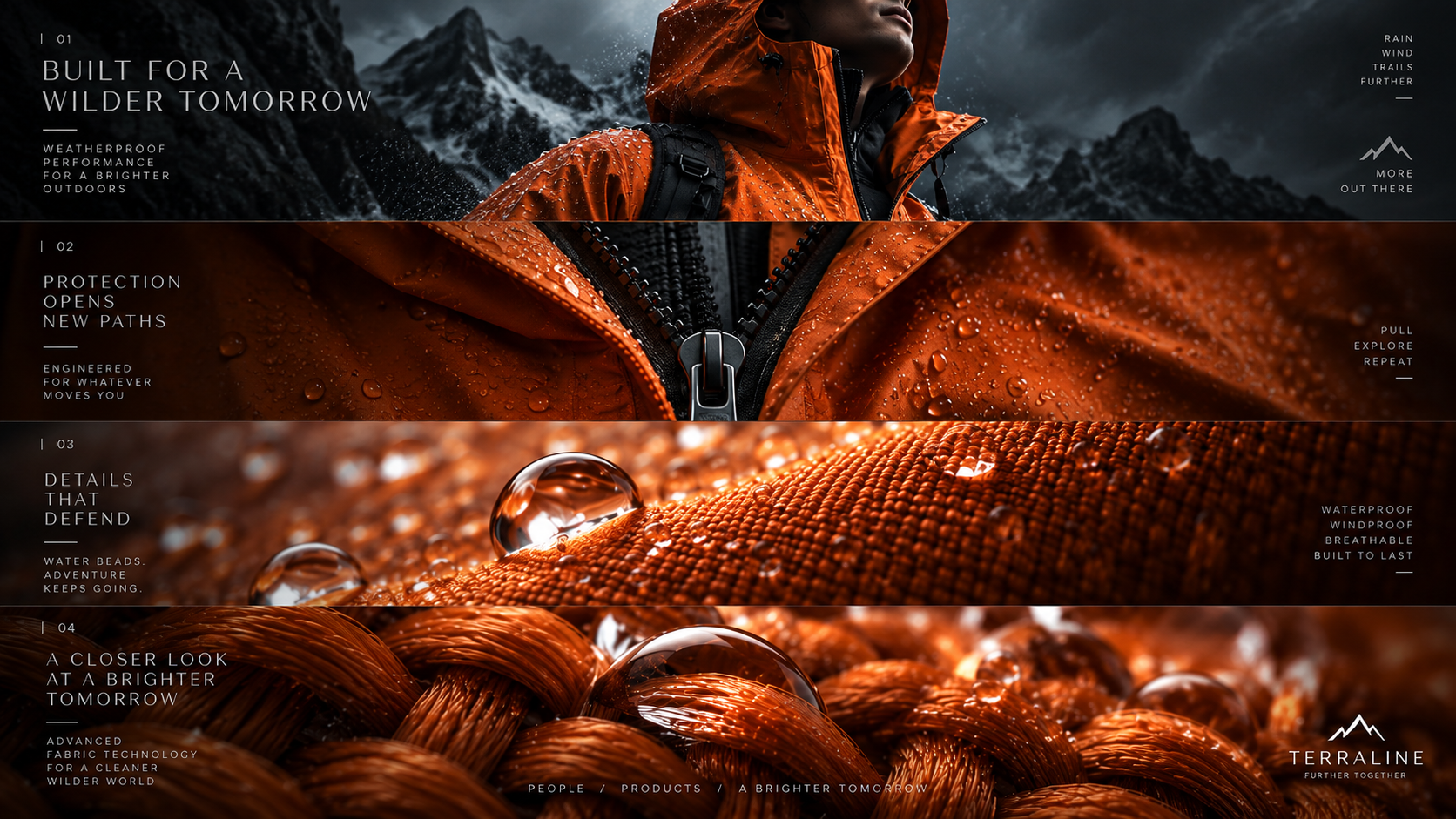
We begin with a single waterproof jacket. The camera approaches the zipper and seams, then the fabric and individual fibers. Raindrops appear on the surface. We get so close that the image almost falls out of focus. The camera then pulls back, revealing the jacket on a hiker standing high in the mountains.
Astra came up with the brand Veyra and broke the scene into a sequence: a bright orange jacket against dark mist, a move toward the zipper, seams, and dense fabric weave, rain, a large droplet, defocus, and a pullback to the person on the summit.
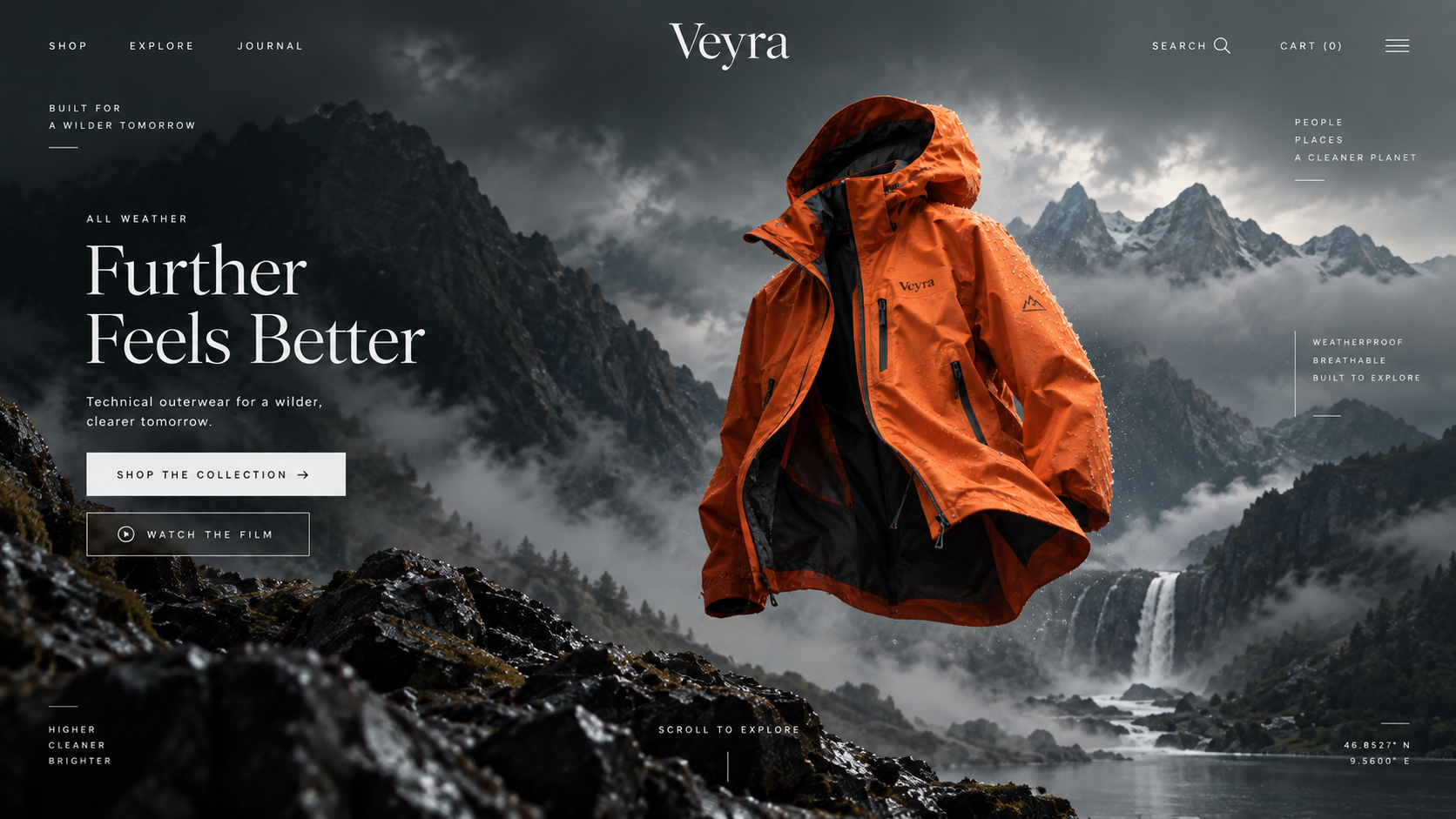
Turning a product into scroll-scrub animation
Astra creates the first keyframe using an image generator. You can choose a higher-quality model such as GPT Image, or a cheaper option if its quality is sufficient for the scene.
Higgsfield then uses that frame to generate movement with Seedance 2.5. The resulting clip takes us from the jacket to the zipper, fabric, droplets, macro detail, defocus, and finally back out to the hiker.
Visitors do not necessarily watch the clip as ordinary video. The website maps its frames to scrolling. Scrolling down advances the sequence; scrolling back up reverses the story.
Refining the AI website after the first generation
The first version already worked: visitors could scroll toward the fabric, pass through a droplet, and eventually see a person in the mountains. But the movement felt too gentle and static, so I gave the model more specific direction.
I asked for the jacket to move and unzip slightly as the camera approached, for more active camera movement, and for the extreme close-up to show thick, interwoven threads. In the final scene, the hiker should take a few last steps, stop, and only then look at the landscape.
One intermediate generation stayed too close to the original. Astra identified the problem: the previous motion reference was anchoring the composition too strongly. The next adjustment targeted the scene without using the earlier clip as a motion reference.
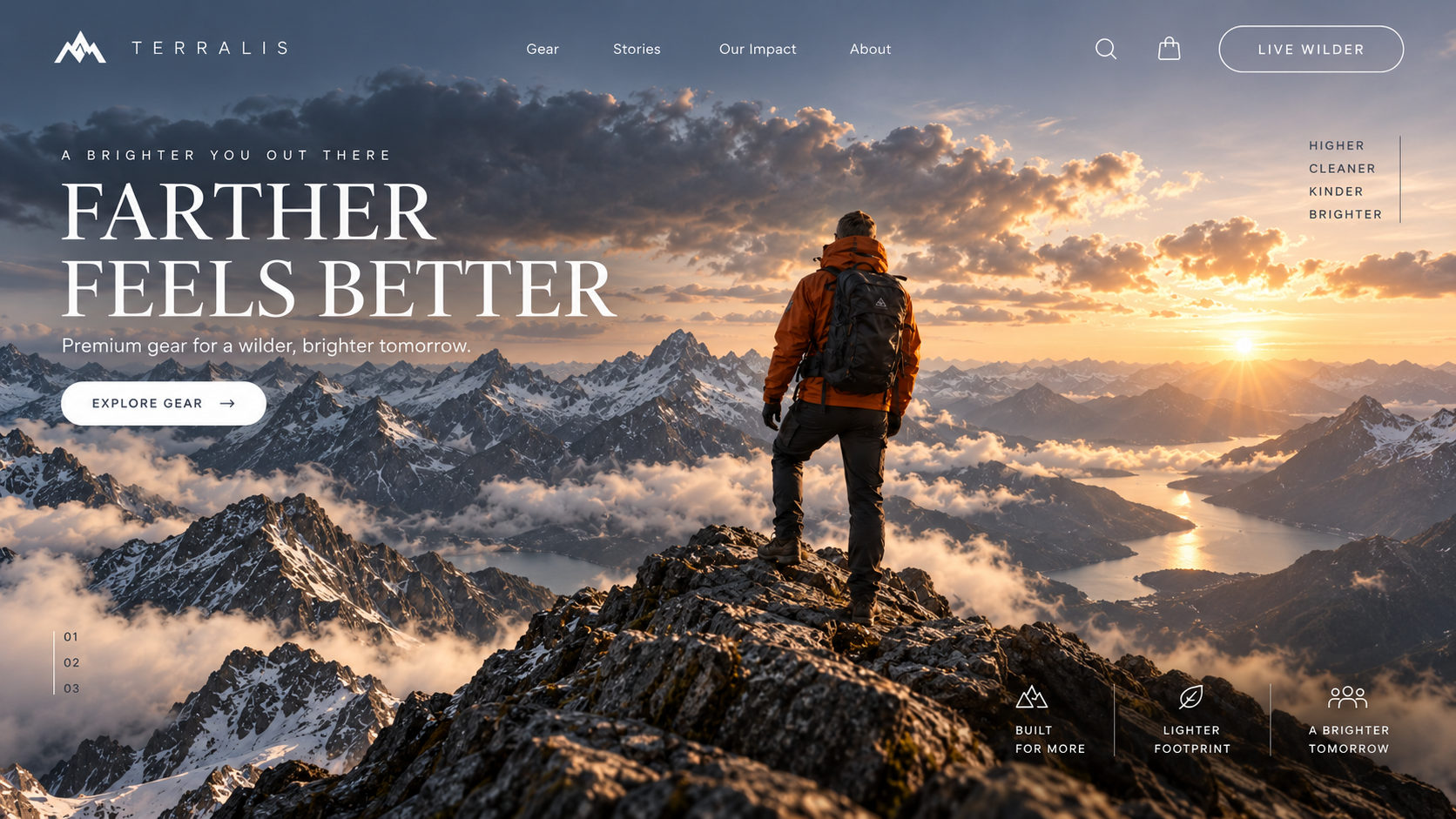
Get to a working first version, then give specific direction: what moves, where the camera goes, and which frame delivers the emotional payoff.
Adding a product catalog and real images
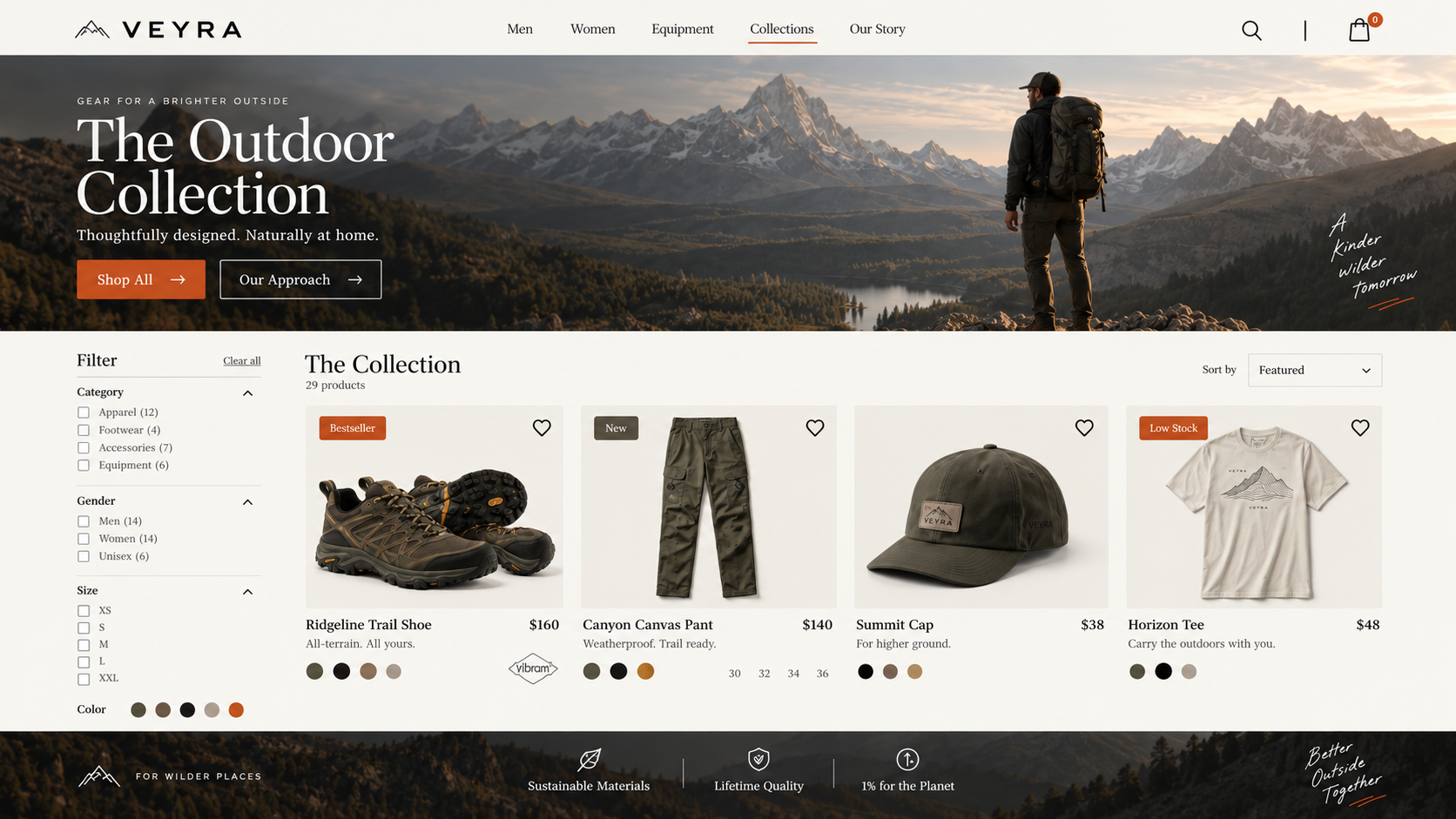
Even beautiful animation cannot replace a complete website. Once the main visual effect worked, I moved on to the other sections: products, cards, filters, additional hero blocks, and a more complete store structure.
I drew inspiration from several outdoor websites and Pinterest references. I gave Astra several different examples and asked it to develop its own visual language, instead of copying a single design.
I added hiking boots, weatherproof pants, a cap, and a T-shirt to the catalog. Astra generated images with a consistent style and integrated them into the store. If you already have real product photographs, even imperfect ones, you can use them as references and improve lighting, composition, background, or overall style.
Adapting the AI website for mobile
Once I was happy with the desktop version, I opened an iPhone emulation. Familiar problems appeared immediately: no proper mobile navigation, elements that were too small, undersized buttons, and horizontal compositions that did not always translate well to a vertical screen.
This is where a separate mobile refinement skill helps. It analyzes what needs to change for a phone rather than simply shrinking the website. In my case, it created a separate vertical version of the clip. The story stayed the same, but the framing and some movements changed.
Desktop and mobile do not have to match frame for frame. What matters is preserving the brand, story logic, color accents, and final meaning. The mobile version can be a separate directorial interpretation.
A practical checklist for building an animated AI website
- Define the final frame and the feeling you want the customer to have.
- Break the journey into 5-10 visual states.
- Build the desktop hero first and test the core idea.
- Generate opening images and coherent movement.
- Tie the movement to scrolling instead of leaving it on ordinary autoplay.
- After the hero, build out products, cards, filters, copy, and calls to action.
- Check mobile separately: navigation, buttons, the focal object, and movement.
- Iterate with specific movement, camera direction, and levels of detail.
The final result
I ended up with a complete animated AI website in two versions: desktop and mobile. Its foundation was a visual product story rather than a collection of effects. The jacket begins as an isolated object; the website then takes visitors inside its materials, showing water resistance and fabric, before returning the product to a real setting: on a person standing in the mountains.
That is how I now think about modern product websites: as a sequence of interactions, rather than pages to decorate with animation. If visitors are scrolling, every movement should bring them closer to the product's purpose.
My main answer to how to build a website with AI is this: invent the story first, let the model assemble the visuals and structure, then become the director. Watch what works, and make focused improvements to the movement, design, copy, and mobile experience.